API Keys
Generate and manage API keys to allow external systems to trigger your ShuffleSync integrations via HTTP endpoints.
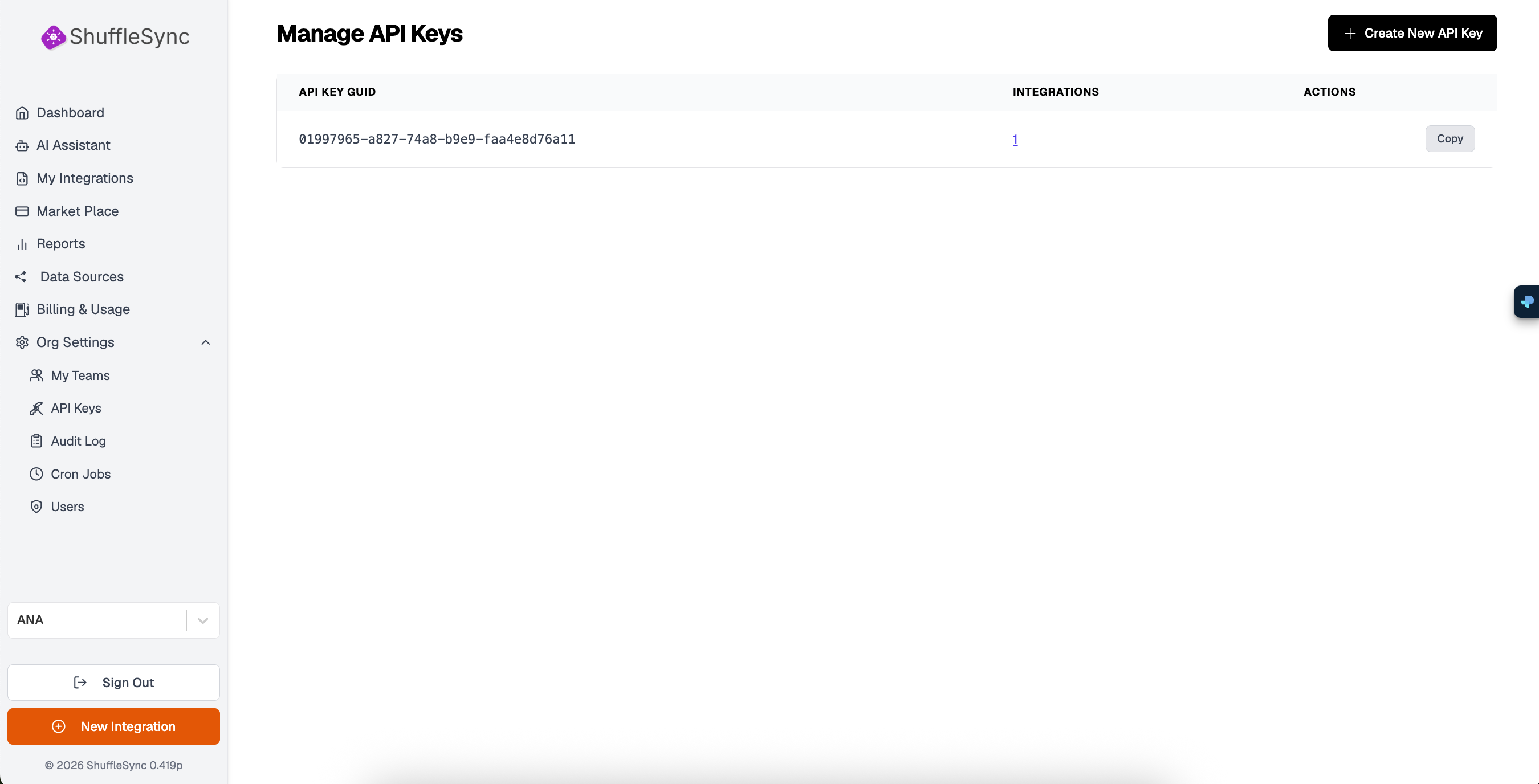
Understanding API Keys
API keys are unique identifiers that authenticate requests to your integration endpoints. When you create an integration with a GET or POST trigger, external systems need an API key to call that endpoint.
API Key Table
The API Keys page displays a table with the following columns:
| Column | Description |
|---|---|
| API Key GUID | The unique identifier for the API key (UUID format) |
| Integrations | Number of integrations using this key (click to see list) |
| Actions | Copy, edit, or delete the API key |
Creating an API Key
Navigate to API Keys
Go to Org Settings > API Keys from the sidebar.
Click Create New API Key
Click the + Create New API Key button in the top-right corner.
Configure Key Settings
Optionally add a name or description to help identify the key later.
Copy Your Key
The new key is generated and displayed. Copy it immediately as the full key is only shown once for security reasons.
Save Your Key
Using API Keys
After creating an API key, you can use it in two ways:
1. Assign to Integrations
In the Workflow Designer, go to Settings and select your API key from the dropdown under Assigned API Keys. This key will then authenticate requests to that integration's endpoint.
2. Include in HTTP Requests
When calling your integration endpoint, include the API key in the request header:
curl -X POST https://sync.shufflehub.ai/api/v1/your-workflow-id \
  -H "Authorization: Bearer YOUR_API_KEY" \
  -H "Content-Type: application/json" \
  -d '{"param1": "value1"}'
Managing API Keys
Copy Key
Click the Copy button to copy the API key GUID to your clipboard. Note that this copies the GUID, not the full authentication key.
View Connected Integrations
Click the number in the Integrations column to see which integrations are using this API key.
Delete Key
Click the menu (three dots) and select Delete to remove an API key. This immediately revokes access - any integrations using this key will stop accepting authenticated requests.
Deletion is Permanent
Security Best Practices
- Rotate Keys Regularly: Create new keys periodically and deprecate old ones
- One Key Per System: Use separate keys for different external systems
- Never Expose Keys: Do not include API keys in client-side code or public repositories
- Monitor Usage: Check the Audit Log for unusual API key activity
- Delete Unused Keys: Remove keys that are no longer needed
API Key Limits
| Plan | Max API Keys |
|---|---|
| Free | 5 |
| Professional | 25 |
| Enterprise | Unlimited |