Billing & Usage
Manage your subscription and monitor your usage across all ShuffleSync features. Track tokens, API calls, and workflows to ensure you stay within your plan limits.
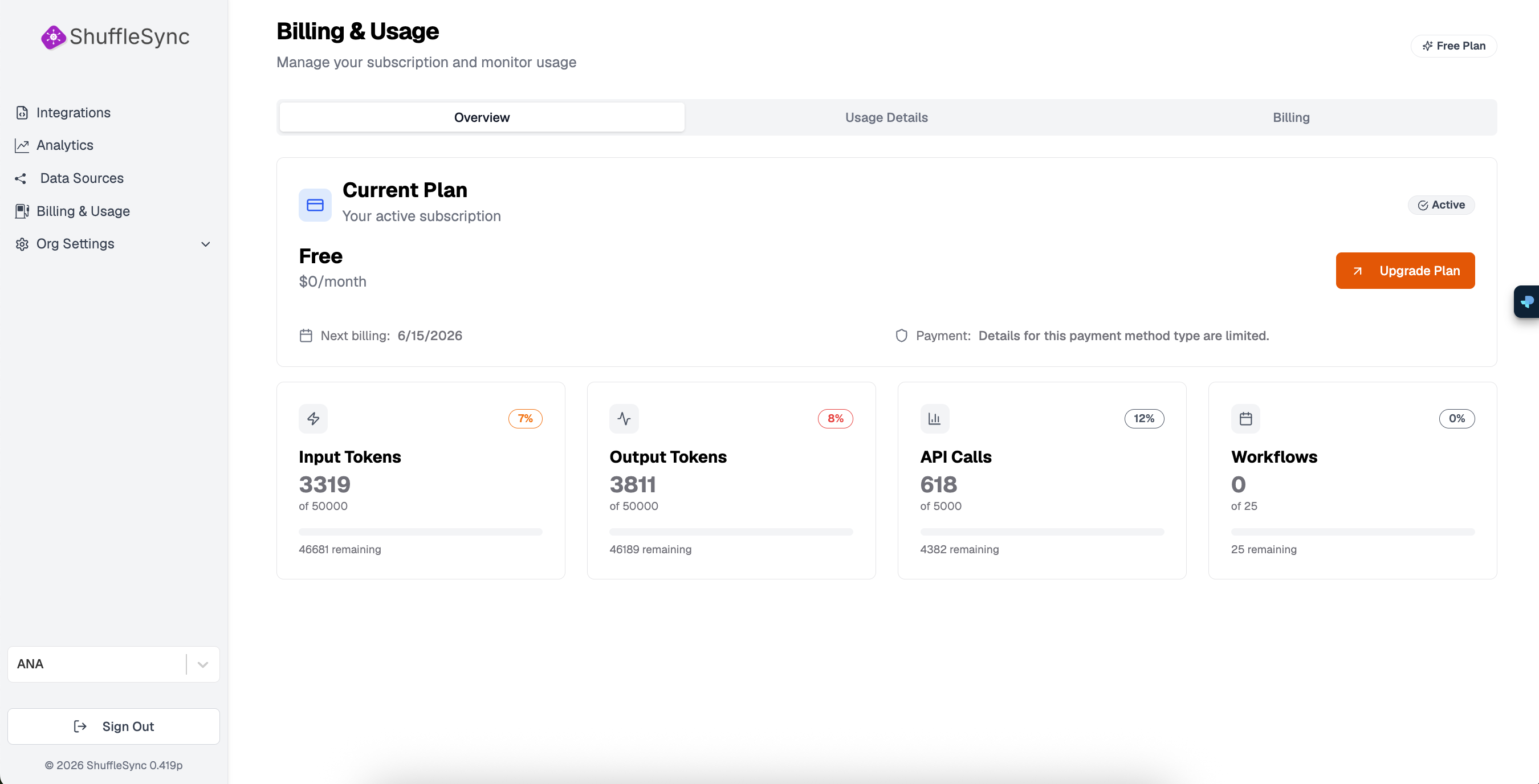
Page Tabs
The Billing & Usage page is organized into three tabs:
- Overview: Current plan and usage summary
- Usage Details: Detailed breakdown of consumption
- Billing: Payment methods and invoices
Current Plan
The Overview tab shows your current subscription:
- Plan Name: Your current tier (Free, Professional, Enterprise)
- Monthly Cost: Subscription price
- Status: Active, Trial, or Expired
- Next Billing: Date of your next payment
- Payment Method: How you pay for your subscription
Upgrade for More
Usage Metrics
Your usage is measured across four categories:
Input Tokens
Tokens used for prompts sent to the AI Assistant. Each word is approximately 1-2 tokens. The percentage badge shows how much of your monthly allocation you have used.
| Plan | Monthly Input Tokens |
|---|---|
| Free | 50,000 |
| Professional | 500,000 |
| Enterprise | Unlimited |
Output Tokens
Tokens generated by the AI Assistant in responses. This includes generated code, explanations, and workflow configurations.
| Plan | Monthly Output Tokens |
|---|---|
| Free | 50,000 |
| Professional | 500,000 |
| Enterprise | Unlimited |
API Calls
The total number of workflow executions and API requests to your integrations. Each time a workflow runs (scheduled or triggered), it counts as one API call.
| Plan | Monthly API Calls |
|---|---|
| Free | 5,000 |
| Professional | 50,000 |
| Enterprise | Unlimited |
Workflows
The number of active integrations you can have running simultaneously.
| Plan | Active Workflows |
|---|---|
| Free | 25 |
| Professional | 100 |
| Enterprise | Unlimited |
Usage Limits
Usage Details Tab
The Usage Details tab provides a detailed breakdown:
- Daily Usage Chart: Visualize consumption over time
- By Integration: See which workflows use the most resources
- Historical Data: Compare usage across billing periods
Billing Tab
Manage your payment information:
- Payment Method: Add or update credit card information
- Invoice History: Download past invoices
- Billing Address: Update your billing details
- Tax Information: Add VAT or tax ID numbers
Plan Comparison
| Feature | Free | Professional | Enterprise |
|---|---|---|---|
| Input/Output Tokens | 50K each | 500K each | Unlimited |
| API Calls | 5,000 | 50,000 | Unlimited |
| Workflows | 25 | 100 | Unlimited |
| Data Sources | 5 | 25 | Unlimited |
| Team Members | 1 | 10 | Unlimited |
| Log Retention | 7 days | 30 days | 90 days |
| Support | Community | Priority |