Marketplace
The Marketplace offers 170+ pre-built integration templates that you can deploy with a single click. Find templates for popular use cases and customize them to fit your needs.
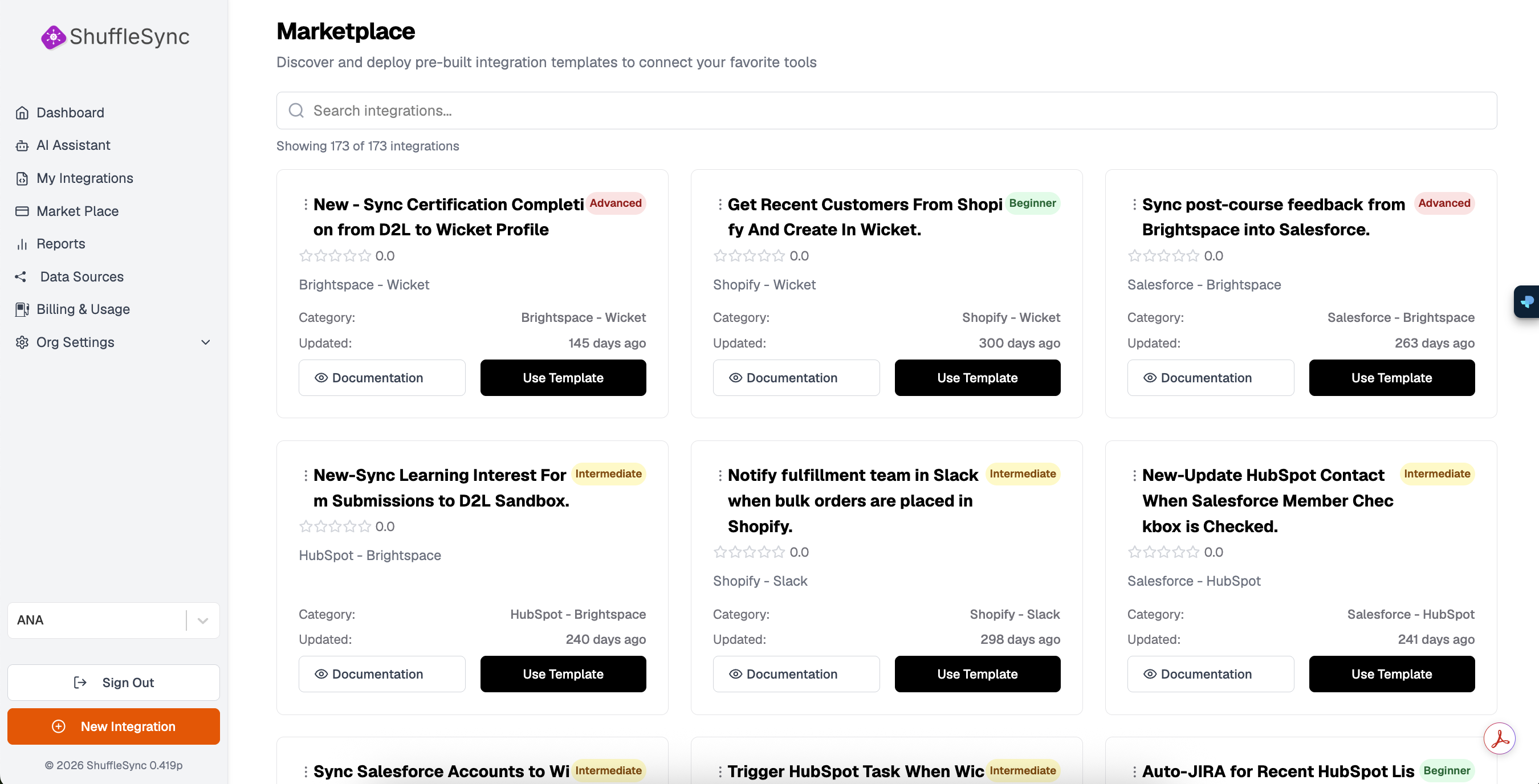
Browsing Templates
The Marketplace displays templates as cards showing key information:
- Template Name: Describes what the integration does
- Difficulty Badge: Beginner, Intermediate, or Advanced
- Rating: Community rating out of 5 stars
- Platforms: The data sources involved (e.g., Salesforce - Brightspace)
- Category: Grouping by platform combination
- Last Updated: When the template was last modified
Difficulty Levels
Templates are categorized by complexity to help you choose the right starting point:
| Level | Description |
|---|---|
| Beginner | Simple, straightforward integrations with minimal configuration |
| Intermediate | Includes transformations, filtering, or multiple steps |
| Advanced | Complex workflows with custom logic, error handling, and multiple data sources |
Searching and Filtering
Use the search bar to find templates by keyword. The search looks through:
- Template names
- Platform names
- Categories
- Descriptions
The search shows results in real-time. For example, searching "salesforce mailchimp"will show all templates that sync data between Salesforce and MailChimp.
Using a Template
View Documentation
Click the Documentation button to read detailed information about the template, including:
- What the integration does
- Required data source connections
- Configuration options
- Common customizations
Deploy Template
Click Use Template to deploy the integration to your account. This will:
- Create a new integration in your My Integrations list
- Open the Workflow Designer with the template code loaded
- Prompt you to connect any required data sources
- Allow you to customize before saving
Customize After Deploy
Popular Template Categories
CRM Sync
Sync contacts, leads, and accounts between CRM platforms like Salesforce, HubSpot, and Pipedrive.
Marketing Automation
Connect marketing tools like MailChimp, Klaviyo, and HubSpot Marketing to keep your audiences in sync.
E-commerce
Integrate Shopify with fulfillment, CRM, and notification systems.
Learning Management
Connect LMS platforms like Brightspace (D2L), Moodle, and Wicket for certification and enrollment syncing.
Project Management
Create Jira tickets, Asana tasks, or Monday.com items based on triggers from other systems.
Example Templates
Here are some popular templates available in the Marketplace:
- Sync Certification Completion from D2L to Wicket Profile - Updates member profiles when certifications are completed
- Get Recent Customers From Shopify And Create In Wicket - Syncs new Shopify customers to membership system
- Sync post-course feedback from Brightspace into Salesforce - Captures learning feedback in CRM
- Notify fulfillment team in Slack when bulk orders are placed - Real-time order notifications
- Update HubSpot Contact When Salesforce Member Checkbox is Checked - Bi-directional CRM sync
Request a Template